Running on a real phone
This is not a mockup. This is a full AI coding agent reading your codebase, writing code, and executing commands — on an Android device.
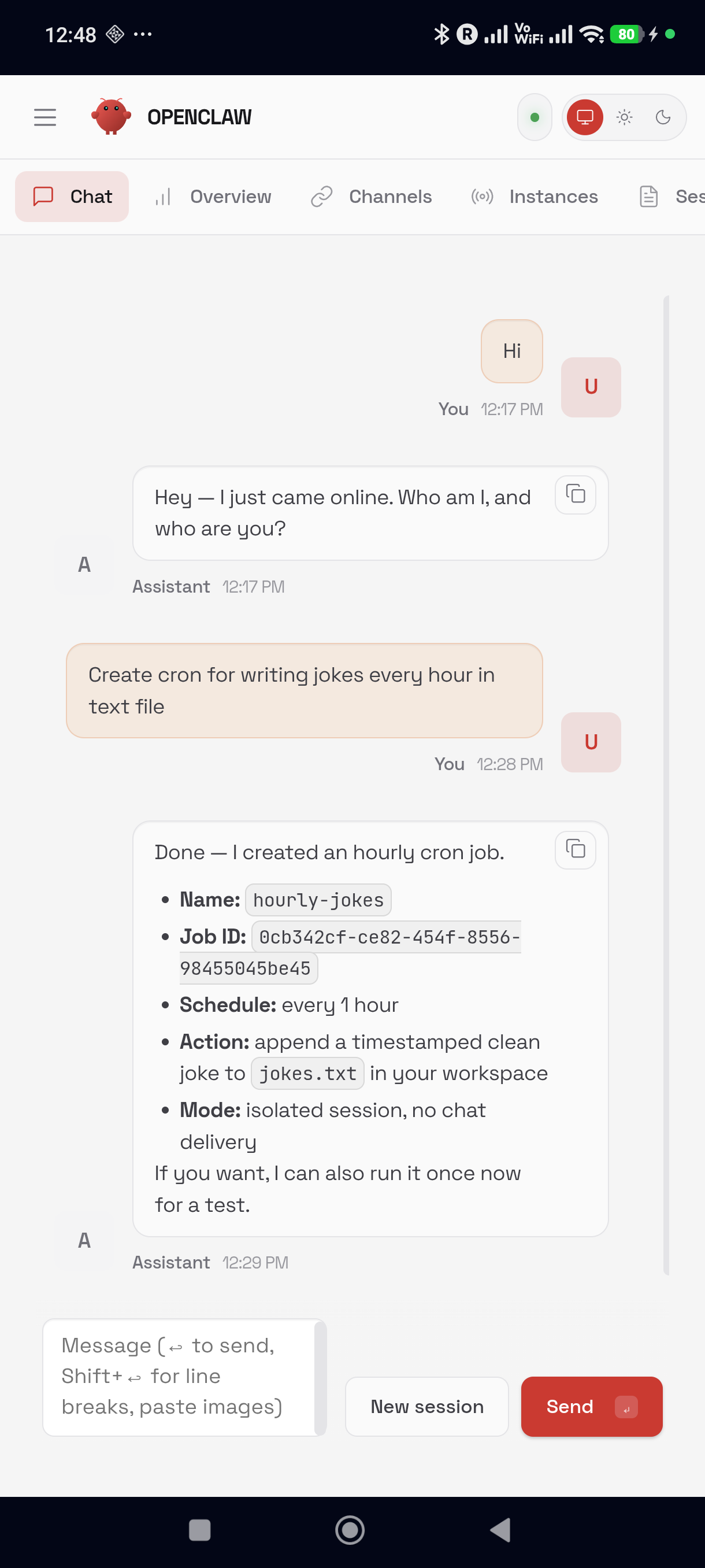
AI Coding Agent
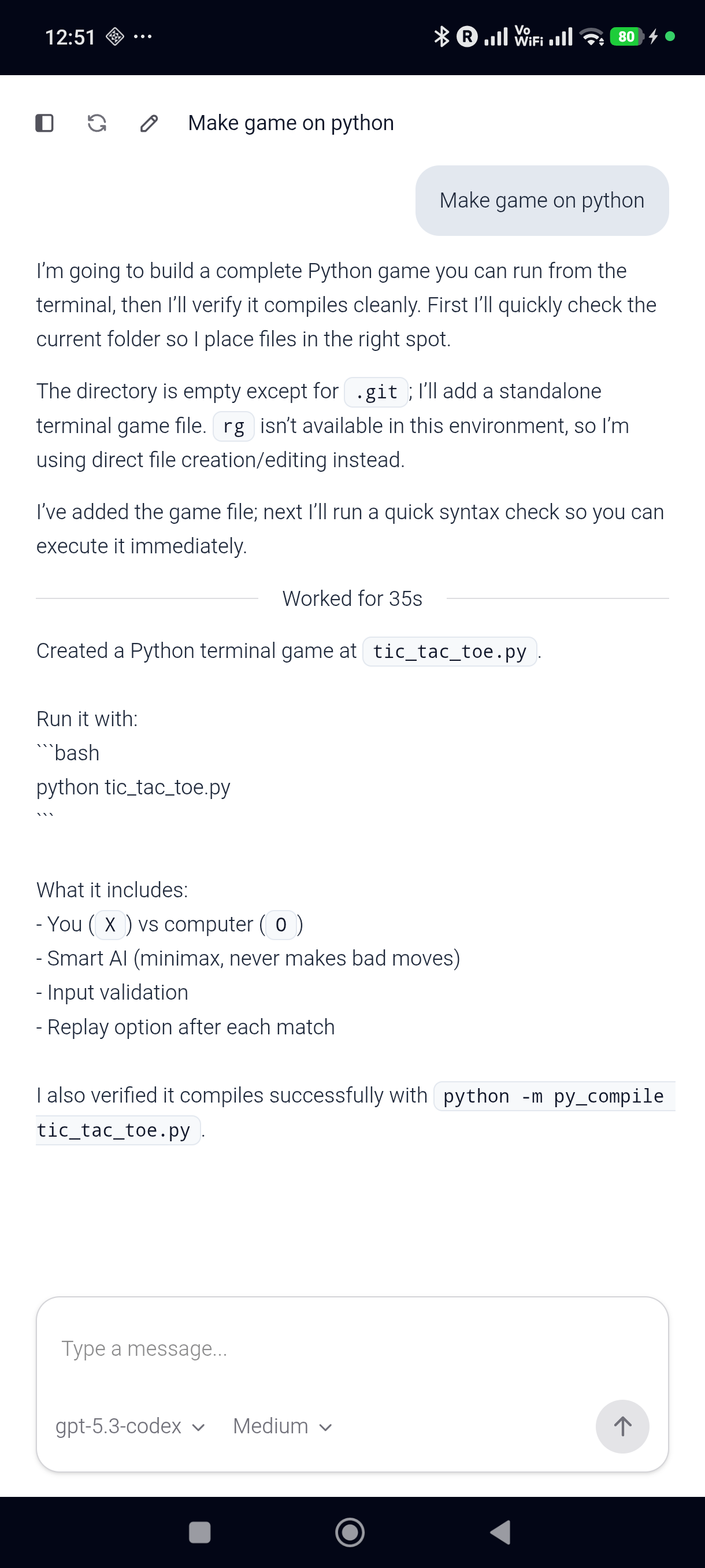
Dashboard & Sessions
The 48K+ star open-source AI coding agent framework — running natively on Android in a full embedded Linux environment. No Mac. No PC. No server. Just your phone.
This is not a mockup. This is a full AI coding agent reading your codebase, writing code, and executing commands — on an Android device.
Modern phones have 8+ ARM64 cores and 8GB+ RAM. They don't need a server to run an AI agent. They just needed the right software.
$0/month. No cloud VMs. No SSH tunnels. No port forwarding. Your phone is the server.
Code on the bus, in a café, at the dentist. Wherever your phone goes, your AI agent goes.
Download APK → Open → Login → Code. No terminal. No pip install. No dependency hell.
Everything runs locally. No third-party servers seeing your code. Privacy by architecture.
Full Termux-derived userland with sh, apt, Node.js, Python, and SSL certs. Not a simulation.
73MB native aarch64-musl binary. 6 Rust crates. 16 runtime modules. Raw native speed.
Everything the desktop Claw Code agent does — tools, commands, MCP, multi-agent — all running on your phone.
File I/O, Bash execution, Git operations, web scraping, notebook editing — each permission-gated and sandboxed.
Central intelligence managing all LLM API calls, response streaming, caching strategies, and multi-step orchestration.
Full Model Context Protocol support with 6 transport types — Stdio, SSE, HTTP, WebSocket, SDK, and proxy.
Spawn sub-agents to parallelize complex tasks in isolated contexts with shared memory access.
Multi-layer memory system with session persistence, transcript compaction, and context discovery.
Claude, OpenAI, local models — works with any LLM provider. Not locked to a single vendor.
Four layers running inside a single Android APK. The embedded Linux environment is extracted from the APK on first launch — no root required, no external dependencies.
┌──────────────────────────────────────────────────────────┐
│                      Android APK                          │
│                                                           │
│  WebView (Vue.js)  ←→  CodexServerManager                 │
│                                                           │
│  ┌──────────────────────────────────────────────────────┐ │
│  │  claw-code agent   → :18923  (HTTP + Vue UI)        │ │
│  │    └─ Rust core    (aarch64-musl, JSON-RPC)          │ │
│  │                                                      │ │
│  │  agent gateway     → :18789  (WebSocket)             │ │
│  │  control UI        → :19001  (Static files)          │ │
│  │                                                      │ │
│  │  proxy.js          → :18924  (CONNECT, DNS/TLS)      │ │
│  └──────────────────────────────────────────────────────┘ │
└──────────────────────────────────────────────────────────┘
| Port | Service | Purpose |
|---|---|---|
| 18789 | Gateway | WebSocket control plane for agents, sessions, tools |
| 18923 | Web Server | HTTP server with Vue.js UI (WebView target) |
| 18924 | CONNECT Proxy | DNS/TLS bridge for musl-linked Rust binary |
| 19001 | Control UI | Static file server for agent dashboard |
Embedded Linux — The APK bundles Termux's bootstrap-aarch64.zip, a minimal Linux userland with sh, apt, SSL certs, and core libraries. Extracted to the app's private storage on first launch. No root required.
Native Rust Binary — A 73MB native Rust binary compiled for aarch64-unknown-linux-musl. Downloaded from the npm registry and extracted manually because npm refuses to install it on Android.
DNS/TLS Proxy — The musl-linked binary reads /etc/resolv.conf for DNS, which doesn't exist on Android. A Node.js CONNECT proxy bridges this gap using Android's Bionic DNS resolver.
Android Compatibility — The bionic-compat.js shim patches process.platform to return "linux", fixes os.cpus() and os.networkInterfaces() for Android's non-standard formats.
W^X Bypass — Android 10+ enforces SELinux W^X policies. Uses targetSdk = 28 to bypass this — same approach as Termux (F-Droid).
From cold start to a fully operational AI coding agent in your WebView.
Request Doze exemption. Start foreground service with persistent notification.
Extract Termux bootstrap zip into app's private storage. Full Linux userland, unpacked.
Install Node.js 24, Python, clang/cmake/make/lld for native module builds.
Install Claw Code agent + native Rust binary. Build native FFI modules from source.
Start CONNECT proxy for DNS/TLS bridging. OAuth login via browser. One-time setup.
Start gateway, Control UI server, web server. WebView loads and you're coding.
Same agent framework, different platform. Here's how the mobile experience compares to running Claw Code on a desktop or server.
| Aspect | Desktop (Mac / Linux / Cloud) | Mobile (This App) |
|---|---|---|
| Platform | macOS, Linux, WSL | Android 7.0+ (ARM64) |
| Installation | pip install + terminal setup | Download APK → Open → Done |
| Dependencies | Python, Rust, Node.js | Nothing. Zero. Nada. |
| Linux | Native OS | Embedded in APK |
| Server Cost | $0–∞ (cloud VMs) | $0. It's your phone. |
| Portability | Carry your laptop | Carry your pocket |
| Background | Terminal stays open | Foreground service |
| Agent Features | 19 tools, 15 commands, MCP | 19 tools, 15 commands, MCP |
Download the APK and go, or build from source if you prefer.
Just download the APK or get it from Google Play. Open. Login. Code.
| Layer | Technology | Details |
|---|---|---|
| Agent Framework | Claw Code | Python + Rust clean-room rewrite |
| Rust Core | 6-crate workspace | 16 runtime modules, zero-dep JSON parser |
| Tool System | 19 built-in tools | Permission-gated, sandboxed |
| Commands | 15 slash commands | /compact, /model, /session, /cost, etc. |
| LLM Support | Provider-agnostic | Claude, OpenAI, local models |
| Runtime | Node.js 24 | Via Termux package manager |
| Frontend | Vue.js 3 + Vite + Tailwind | Served via embedded HTTP server |
| Android | Kotlin + WebView | Foreground service, OAuth, battery exemption |
| Linux | Termux bootstrap | aarch64, extracted from APK at first launch |
Release notes are synced automatically from the upstream Claw Code repository when available.